Choosing the right cloud technology is an important decision for businesses that rely on digital systems to manage everyday operations. For organisations researching Cloud Services Sydney, the challenge is understanding which services will genuinely improve productivity, protect business information and support future growth without introducing unnecessary costs or complexity.
Cloud technology allows businesses to access applications, store information, collaborate with employees and manage computing resources without relying entirely on equipment located in their own offices. However, not every cloud service provides the same capabilities, security controls or level of management.
A small business using Microsoft 365 may have different requirements from an organisation running specialised applications, multiple locations or complex data systems. Understanding these differences can help decision-makers choose suitable technology rather than investing in services they do not need.
This guide explains the main types of business cloud services, how they support everyday work, what security and management responsibilities remain important, and how to compare providers in Sydney.
For businesses comparing Cloud Services Sydney, understanding the different service models is the first step towards choosing an appropriate solution.
What Do Cloud Services Sydney Providers Actually Offer?
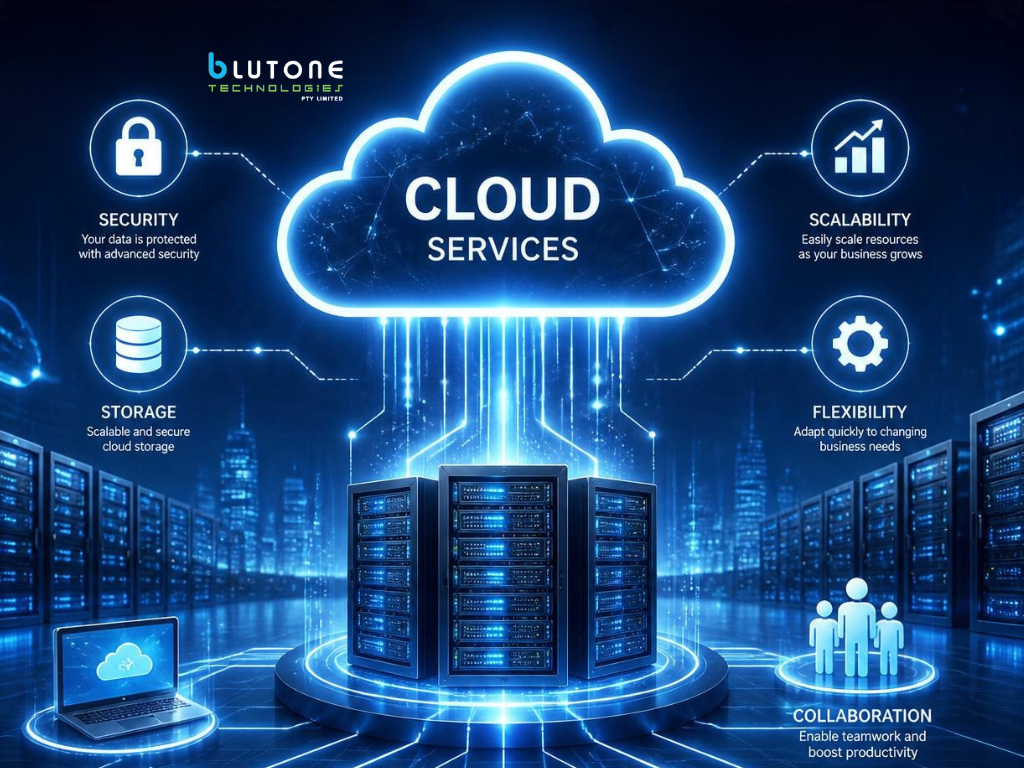
Cloud service providers may help businesses access online applications, manage data storage, host servers, support remote employees and maintain cloud-based infrastructure.
The specific services depend on the provider and the organisation’s requirements.
For example, a small accounting firm may primarily need cloud email, document storage and secure collaboration tools.
A larger organisation might require hosted business applications, virtual servers, centralized identity management and connections between cloud platforms and existing office systems.
Cloud services can also support businesses with employees working from multiple locations.
Staff may be able to access approved applications and information from the office, home or client sites, provided appropriate access controls are in place.
However, reliable internet connectivity, account security and device management remain important.
When comparing providers, businesses should distinguish between the cloud platform itself and the services involved in configuring, supporting and maintaining it.
Understanding Different Types of Cloud Services
Business cloud services generally fall into several categories.
Software as a Service, commonly called SaaS, allows organisations to use applications delivered through the cloud.
Microsoft 365 is an example, providing services for email, document collaboration and workplace communication.
Infrastructure as a Service, or IaaS, provides computing resources such as virtual servers, storage and networking.
This can allow businesses to operate applications without purchasing equivalent physical server infrastructure.
Platform as a Service, or PaaS, provides managed environments for developing, deploying and operating applications.
Different cloud models also involve different responsibilities.
For a typical SaaS application, the provider manages much of the underlying infrastructure, while the customer remains responsible for areas such as account access, user permissions and appropriate data handling.
Infrastructure-based services generally require more involvement in configuring and managing operating systems, applications and security settings.
Businesses should therefore choose cloud services according to the outcomes they need rather than assuming one model suits every situation.
Choosing Cloud Solutions for Everyday Business Operations
Cloud technology can support productivity, collaboration and flexibility, but the benefits depend on how well the services match existing workflows.
An organisation with employees working across several offices may require different arrangements from a business where everyone works at one location.
When evaluating Cloud Services Sydney, the priority should be identifying which business activities depend on reliable access to applications and information.
Supporting Remote Work and Team Collaboration
Cloud applications can make it easier for employees to collaborate without being physically located in the same office.
Shared documents, online meetings, business communication tools and cloud-based applications can help teams work across different locations.
For example, employees using Microsoft Teams, SharePoint and OneDrive may be able to communicate and collaborate on documents through a shared Microsoft 365 environment.
However, cloud access should be organised carefully.
Employees need appropriate permissions to access the information required for their roles.
Sensitive records should not automatically be accessible to everyone simply because they are stored in a shared cloud platform.
Businesses should also consider how employees connect from home or while travelling.
The reliability of internet access, security of individual devices and method of authentication can affect the overall working experience.
Cloud technology can support flexible working arrangements, but it still requires suitable management and clear procedures.
Matching Cloud Services to Business Requirements
Not every organisation needs to migrate all its systems to the cloud.
Some businesses may benefit from moving email, documents and collaboration tools while retaining specialised applications on existing infrastructure.
Others may be considering a broader transition because their current servers are ageing or difficult to maintain.
The appropriate approach depends on software compatibility, data requirements, costs and operational priorities.
Businesses should identify which applications employees rely on and whether those applications are suitable for cloud hosting.
They should also consider any requirements involving data location, confidentiality, performance and integration with existing systems.
For example, a business using a specialised application may need to confirm that the software vendor supports cloud deployment.
An organisation handling large files may need to assess network performance before moving an important workload to remote infrastructure.
Cloud Services Australia providers may offer different hosting locations and service arrangements.
Businesses should verify where relevant data is stored and which contractual or regulatory requirements apply to their operations.
A carefully planned cloud environment should support business processes rather than require employees to work around unnecessary technology limitations.
Understanding Microsoft 365 and Azure Cloud Services
Microsoft cloud platforms are widely used for business productivity, collaboration and infrastructure management.
However, Microsoft 365 and Azure serve different purposes.
Businesses reviewing Cloud Services Sydney should understand these differences before deciding which services require implementation or ongoing management.
Microsoft 365 Support for Australian Businesses
Microsoft 365 provides business applications and services that can include Outlook, Exchange Online, Teams, SharePoint and OneDrive, depending on the subscription.
These tools support email, communication, document collaboration and file access.
However, purchasing a Microsoft 365 subscription does not automatically mean the environment is appropriately configured for every business.
User accounts, permissions, security settings and licensing still require attention.
For example, when a new employee joins, the organisation may need to create an account, allocate a licence, configure authentication and provide access to appropriate documents and applications.
When an employee leaves, access should be reviewed and removed according to the organisation’s procedures.
Microsoft 365 Support Australia services may assist businesses with account administration, licence management, collaboration settings and troubleshooting.
Organisations should also understand the security and retention features included in their particular subscription.
Some capabilities depend on licensing, configuration or additional services.
Regular reviews can help ensure the environment continues to reflect current staffing arrangements and business requirements.
When Azure Cloud Services May Be Appropriate
Azure Cloud Services can provide infrastructure and application services that go beyond ordinary workplace productivity tools.
Microsoft Azure supports services such as virtual machines, databases, networking, application hosting and cloud storage.
These capabilities may be useful for businesses that operate specialised applications or need computing resources that can be adjusted as requirements change.
For example, an organisation might use Azure virtual machines to host a business application that would otherwise require dedicated server hardware.
Another organisation may use managed database services to support an application.
However, Azure is not automatically the most suitable option for every workload.
Businesses should evaluate application requirements, expected usage, performance, security and ongoing costs.
Some services are charged according to resources consumed, meaning poorly planned configurations can create unexpected expenses.
An Azure environment may also need ongoing technical management.
Depending on the services used, this can include monitoring resource consumption, managing access permissions, applying updates and reviewing security settings.
Before moving applications into Azure, businesses should understand the costs and responsibilities associated with operating them.
Securing Cloud Accounts, Information and Devices
Moving business information to the cloud changes how employees access applications and data.
Information may be available from multiple devices and locations rather than from computers connected only to an office network.
This flexibility can be useful, but it also introduces security responsibilities.
For organisations researching Cloud Services Sydney, account protection and device security should be considered alongside functionality and cost.
Protecting Business Data and Cloud Access
Cloud platforms generally provide security capabilities, but businesses must still manage the responsibilities that apply to their services.
These responsibilities may include authentication, account permissions, application configuration and protection of sensitive information.
Multi-factor authentication is an important control because it provides an additional security requirement beyond a password.
Businesses should also consider how user permissions are assigned.
Employees should receive access appropriate to their responsibilities rather than broad administrative permissions that are not required for their work.
When staff change roles or leave the organisation, access should be reviewed.
Security settings may also need attention when new applications are connected to existing cloud accounts.
Cloud security is a shared responsibility between the platform provider and the customer, although the division of responsibilities varies according to the service model.
For this reason, businesses should not assume that using a recognised cloud platform removes the need for cybersecurity management.
How Intune Device Management Supports Security
Cloud services are often accessed through laptops, desktop computers, tablets and mobile phones.
The security of these devices can affect the information they access.
Intune Device Management provides capabilities for managing supported devices and applications, applying configuration policies and assessing whether devices meet defined security requirements.
For example, an organisation may use device management policies to require suitable security settings on company-owned laptops.
Depending on the environment and licensing, Microsoft Intune can also work with Microsoft Entra Conditional Access to help control access to business applications.
An organisation may decide that devices must meet particular compliance requirements before accessing certain cloud resources.
This can be useful for businesses with remote employees or multiple office locations.
However, Intune does not automatically provide complete cybersecurity protection.
It is one part of a broader approach that may also involve identity management, endpoint protection, software updates and user awareness.
Businesses considering Intune should confirm which devices need management, what licensing is required and how the policies will affect employees.
Planning Cloud Backup and Disaster Recovery

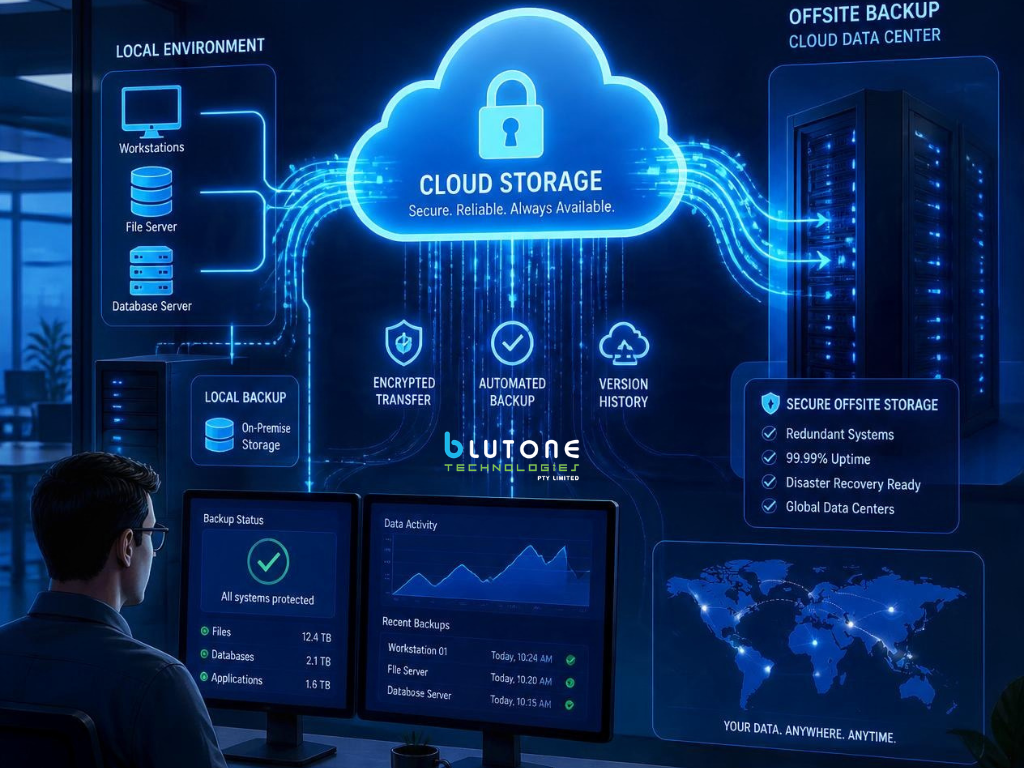
Cloud storage can improve accessibility and reduce dependence on a single physical location.
However, storing business information in the cloud does not automatically establish a complete backup and recovery strategy.
Businesses comparing Cloud Services Sydney should understand what information is protected and how essential services could be restored after an interruption.
Why Cloud Backup Remains Important
Cloud Backup involves maintaining recoverable copies of important information according to the organisation’s requirements.
Businesses may need to protect emails, documents, application data, databases and configuration information.
The appropriate backup arrangements depend on where the data is held and how frequently it changes.
Some cloud applications provide version history, retention settings or other recovery capabilities.
These features can be useful, but they should not automatically be treated as equivalent to a separate backup system.
For example, a file synchronization service may replicate changes and deletions across connected locations.
If a user accidentally deletes important information, the ability to restore it depends on the platform’s retention and recovery configuration.
Businesses should identify which information needs protection, how frequently backups should occur and how long copies must be retained.
Backup access should also be secured.
Where appropriate, separate or protected copies can reduce the risk of one compromised account affecting both production information and its recovery copies.
The Australian Cyber Security Centre recommends regular backups and testing the ability to restore important information.
A business should understand what can actually be recovered rather than assume that storing files in the cloud is sufficient.
Disaster Recovery and Keeping Operations Running
Disaster Recovery focuses on restoring systems, applications and data after a significant interruption.
It is closely related to backup, but the two are not identical.
A business may possess a usable copy of a database but still need to restore the application, user access and supporting infrastructure before employees can use it again.
Recovery planning should therefore consider dependencies between systems.
Businesses should identify which services are essential and which can tolerate longer interruptions.
Two useful measures are Recovery Time Objective and Recovery Point Objective.
Recovery Time Objective refers to the targeted time for restoring a service.
Recovery Point Objective refers to the amount of data loss, measured in time, that an organisation considers acceptable.
For example, a business may decide that an important application should be restored within several hours while allowing only a limited loss of recent changes.
These objectives are planning targets rather than guaranteed outcomes.
Recovery testing is important because a successful backup notification does not prove that every required system can be restored.
Cloud backup and recovery arrangements should form part of wider business continuity planning, including communication procedures and temporary working arrangements.
Managing Cloud Costs, Performance and Infrastructure
Moving to cloud services can change how a business pays for technology.
Instead of purchasing and maintaining all physical infrastructure, an organisation may pay recurring subscriptions or usage-based charges.
This can provide flexibility, but it also requires ongoing oversight.
When evaluating Cloud Services Sydney, businesses should understand both the initial migration costs and the expenses associated with operating the environment over time.
Understanding Cloud Pricing and Resource Usage
Cloud costs depend on the services selected and how they are used.
Microsoft 365 is commonly licensed through subscription plans, with costs influenced by the number of users and selected features.
Azure services can use a range of pricing models depending on computing resources, storage, networking and other requirements.
A business using cloud-hosted servers may incur charges even when employees are not actively using the applications, depending on how those resources are configured.
Storage growth, data transfers, additional licences and backup retention can also influence ongoing costs.
For this reason, a lower initial infrastructure expense does not automatically mean the total cloud solution will cost less.
Businesses should review expected usage before migrating and establish a process for monitoring costs afterwards.
It may be possible to reduce unnecessary spending by removing unused services, reviewing licence allocations or adjusting resources to match actual demand.
However, cost optimisation should not compromise essential security, resilience or performance requirements.
The most suitable cloud arrangement should balance operational value with predictable and manageable expenditure.
How IT Infrastructure Management Supports the Cloud
Cloud infrastructure still requires management.
Servers, applications, user accounts, networking connections and security configurations may need ongoing monitoring and maintenance.
IT Infrastructure Management helps organisations understand how these components work together and who is responsible for maintaining them.
For example, a cloud-hosted application may depend on identity services, networking, databases and storage.
If one component becomes unavailable, the wider application may be affected.
Businesses should document these dependencies and establish suitable support arrangements.
Ongoing management may include reviewing resource usage, maintaining configurations, assessing security updates and monitoring service performance.
The scope of these activities depends on the cloud environment and the agreement with the technology provider.
Some organisations manage their infrastructure internally, while others use external specialists.
A combination of internal and outsourced management may also be appropriate.
The important consideration is ensuring that responsibilities are clearly defined and that the cloud environment continues to support business requirements as they change.
Choosing the Right Cloud Services Provider in Sydney

Selecting cloud technology is not only about choosing a platform.
Businesses also need to consider how the environment will be implemented, secured, maintained and supported.
For organisations comparing Cloud Services Sydney, the right provider should be able to explain which services are appropriate and what responsibilities remain with the business.
What to Ask Before Choosing Cloud Services Sydney
Before engaging a cloud services provider, begin by identifying the organisation’s current technology requirements.
Consider which applications employees use, where important information is stored and how staff access business systems.
Ask whether existing software is suitable for cloud hosting or whether changes are required.
It is also important to understand which services the provider will configure and manage.
For example, Microsoft 365 administration, Azure infrastructure, device management, cybersecurity and backup services may be covered under separate arrangements.
Businesses should ask about security responsibilities, support hours, escalation procedures and the process for managing incidents.
Data ownership and access arrangements should also be clear.
An organisation should understand how its information can be retrieved or transferred if it later changes providers.
Before a migration begins, discuss expected costs, software compatibility and the proposed transition process.
Cloud migration should be planned around business operations, with appropriate testing and arrangements for responding to unexpected problems.
A provider’s ability to explain these considerations clearly is often more useful than broad promises about unlimited flexibility or guaranteed uptime.
Finding Cloud Support That Fits Your Business
The most suitable cloud arrangement depends on an organisation’s size, existing systems and future plans.
A small business may primarily need Microsoft 365 administration, secure access to documents and reliable backup arrangements.
A growing organisation may require additional cloud infrastructure, device management and more structured technology support.
Businesses with specialised applications may need a combination of cloud and existing infrastructure.
Blutone Tech, also known as Blutone Technologies, provides cloud and managed IT services for Australian businesses.
Its published Cloud Services offering includes Microsoft 365 management, cloud migration, secure remote access, backup and recovery, and support for business continuity.
For Sydney organisations considering cloud adoption or reviewing an existing setup, these services provide a starting point for discussing practical requirements.
However, service inclusions, licensing, implementation arrangements and ongoing responsibilities should be confirmed before entering an agreement.
A useful cloud strategy should begin with understanding the organisation’s needs, not simply moving every available system to a new platform.
Cloud technology can support flexible working, collaboration and growth when it is configured and managed appropriately.
It also requires attention to security, device access, costs, backup arrangements and system recovery.
For businesses exploring Cloud Services Sydney, the objective should be to establish a reliable technology environment that supports everyday operations without introducing unnecessary complexity.
If your business is considering a cloud migration, improving Microsoft 365 management or reviewing its existing cloud infrastructure, contact Blutone Tech to discuss a technology assessment and identify the services that may be suitable for your requirements.