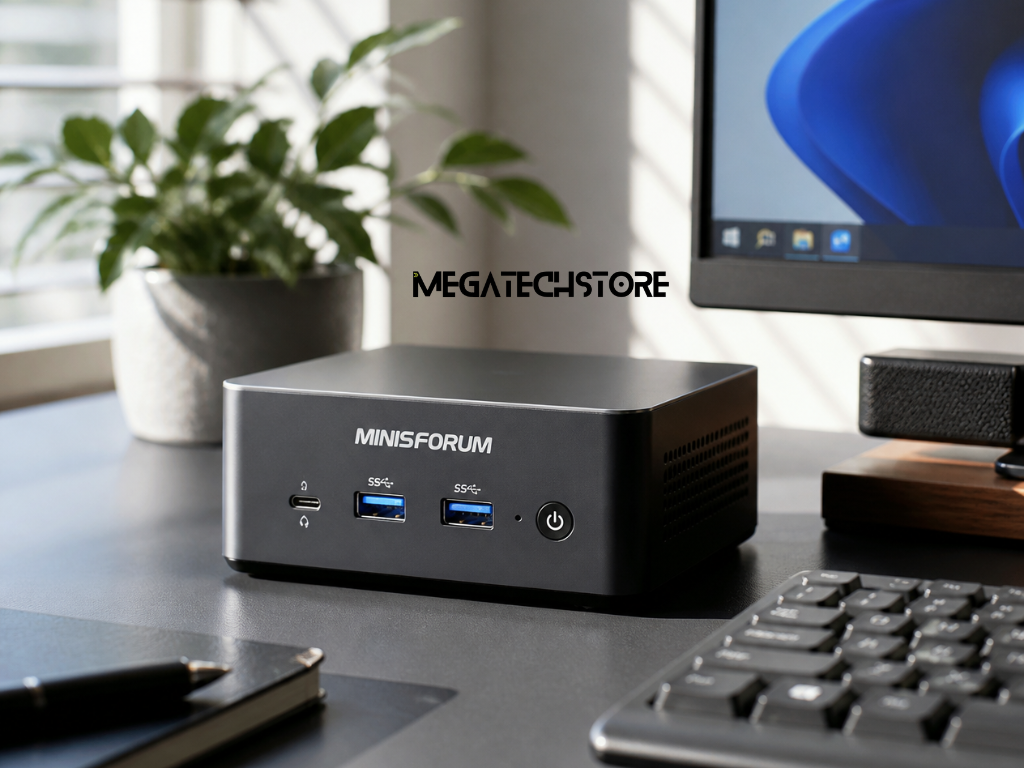
A mini pc offers a compact alternative to a traditional desktop computer, but is it the better choice for everyday use? For Australian buyers setting up a home office, upgrading a business workstation or replacing an older computer, the answer depends on performance requirements, available space, connectivity and future upgrade plans.
Mini PCs have become a practical option for people who want desktop-style computing without a large computer tower. Many models can handle everyday activities such as web browsing, email, document editing, video calls and media streaming.
Traditional desktop computers remain useful for customers who need greater hardware flexibility, additional expansion options or dedicated graphics performance.
Neither option is automatically better.
Understanding what each computer offers can help you choose a system that suits your daily tasks without paying for features you may not need.
What Makes a Mini PC Different From a Desktop?
The most noticeable difference is physical size.
A mini PC places essential computer components inside a compact enclosure that can often sit beside a monitor or be mounted behind a compatible display.
Like a conventional desktop, it generally requires an external monitor, keyboard and mouse.
Despite its smaller dimensions, a mini PC can contain a modern processor, memory, solid-state storage and a range of connectivity options.
A traditional desktop tower usually provides more internal space for larger cooling systems, additional drives, expansion cards and dedicated graphics hardware.
This extra room can be useful for demanding applications or future upgrades.
However, computer size alone does not determine performance.
A modern mini PC with a capable processor and sufficient memory may outperform an older desktop with less suitable hardware.
The important comparison is between the specifications of the actual systems being considered.
Which Computer Is Better for Your Daily Tasks?
For everyday activities, both mini PCs and desktops can provide a comfortable computing experience.
If your main tasks involve Microsoft Office, web browsing, email, accounting software and online meetings, a suitably configured mini PC may be sufficient.
Students using learning platforms, preparing assignments and attending online classes may also find a compact system practical.
A traditional desktop becomes more appealing when your work requires additional expansion or hardware options.
For example, customers using demanding creative software, specialised engineering applications or games requiring dedicated graphics may benefit from a suitably equipped desktop.
However, higher-performance mini PCs can also support more demanding workloads.
Before deciding, consider the software you use most often and check its recommended system requirements.
The best computer is the one that meets those requirements while fitting your workspace and budget.
Comparing Performance for Work and Entertainment
When comparing mini pc models with traditional desktops, performance should be assessed through the processor, memory, storage and graphics capabilities.
A smaller computer is not necessarily slower, and a larger desktop is not automatically more powerful.
The hardware configuration and how well the system manages sustained workloads are more important.
Can a Mini PC Handle Everyday Office Applications?
A modern mini PC can be suitable for common office applications when it has an appropriate processor and enough memory.
Tasks such as preparing documents, creating spreadsheets, using cloud-based business platforms and attending video meetings are generally manageable on correctly specified systems.
Memory is especially important for multitasking.
If you regularly keep several browser tabs, spreadsheets and communication applications open, a system with sufficient RAM can help maintain responsiveness.
Storage also affects everyday usability.
Many mini PCs use solid-state drives, which offer fast access to files and applications compared with traditional mechanical hard drives.
However, the amount of storage you need depends on how many files and programs you keep locally.
For example, someone working mainly with cloud applications may need less internal storage than a person managing large video files.
The goal is to choose specifications based on actual usage rather than assuming that the highest available configuration is necessary.
When a Full-Sized Desktop Offers More Performance
Traditional desktops can offer advantages when applications require dedicated graphics hardware or substantial expansion.
Modern games, professional video editing, 3D modeling and certain engineering applications may benefit from powerful graphics cards and larger cooling systems.
A desktop tower can often accommodate hardware that would be difficult to install inside a compact enclosure.
It may also offer greater flexibility for replacing components as requirements change.
However, this does not mean every desktop provides better performance.
An entry-level desktop may be less capable than a higher-performance mini PC.
Some compact workstations include powerful processors and integrated graphics designed for more demanding tasks.
When comparing systems, review the processor, graphics hardware, memory capacity and cooling design.
For gaming or professional applications, check independent benchmarks for the specific software and configurations you intend to use.
Desk Space, Connectivity and Everyday Convenience
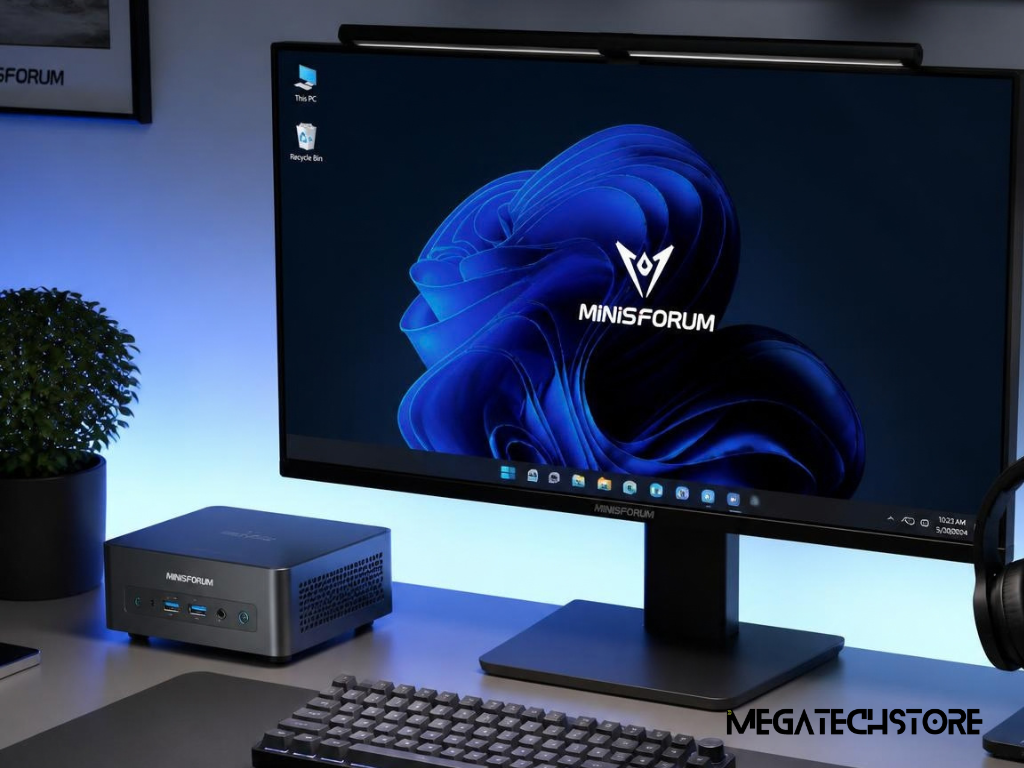
One of the main reasons people consider a mini pc is the amount of desk space it can save.
For home offices, small business environments and shared workstations, a compact computer can help create a less crowded working area.
However, convenience depends on more than physical size.
The computer must also connect to the monitors, accessories and networks you use every day.
How a Mini PC Fits Into Small Workspace
A mini PC can be useful where there is limited room for a traditional desktop tower.
It may fit beside a monitor, under a desk or behind a compatible screen using an appropriate mounting bracket.
This makes compact computers worth considering for study areas, reception desks, service counters and smaller offices.
Some businesses also use mini PCs for digital signage or dedicated workstations, provided the device supports the required software and operating conditions.
A smaller computer can also make it easier to keep the surrounding workspace organised.
However, compact systems still need adequate ventilation.
Placing a mini PC inside a tightly enclosed space or blocking its air vents may affect cooling.
Before choosing a mounting position, check the manufacturer’s installation guidance.
The ideal arrangement provides convenient access to ports while allowing the computer to operate under suitable conditions.
Checking Monitor Support, USB Ports and Networking
Connectivity is an important part of choosing a computer.
Before purchasing a mini PC, check how many monitors it supports and which connection types are available.
Common display connections include HDMI, DisplayPort and USB-C with compatible video output.
Some models can support multiple displays, but the maximum resolution and refresh rate depend on the specific hardware.
This matters if you use dual monitors for office work or require a high-resolution display for creative applications.
USB connections should also be considered.
A keyboard, mouse, external drive, printer, webcam and other accessories may all need available ports.
Networking is another factor.
Ethernet can provide a wired connection, while Wi-Fi allows compatible systems to connect wirelessly.
Bluetooth may be useful for supported keyboards, mice and audio devices.
A compact computer is only convenient when it connects properly to the equipment you already use.
Upgrades, Repairs and Long-Term Flexibility
A mini pc may meet your current needs, but it is worth considering whether those needs could change.
One of the biggest differences between compact computers and desktop towers is the amount of hardware that can be replaced or upgraded.
However, upgrade options vary considerably between individual models.
Which Mini PC Parts Can You Upgrade?
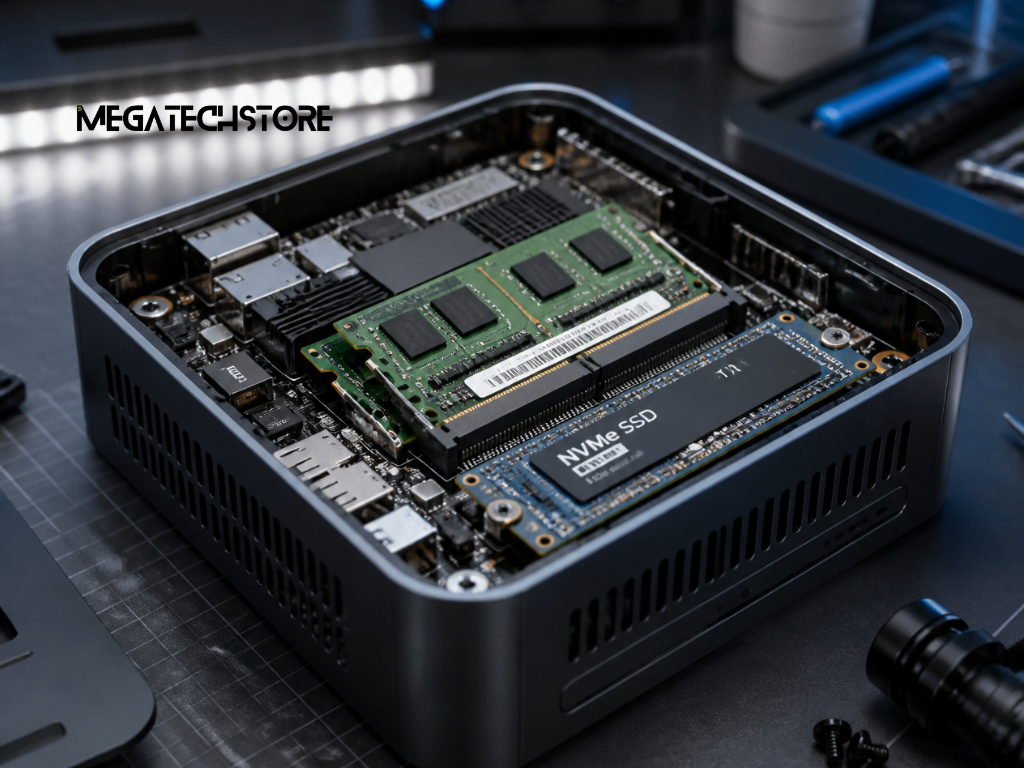
Some mini PC parts can be replaced or upgraded, depending on the system design.
Certain models provide access to memory modules and solid-state storage.
This may allow customers to increase RAM or install a larger compatible SSD.
Other models use soldered memory that cannot be upgraded after purchase.
Processors and graphics hardware are also commonly integrated into compact systems, limiting replacement options.
Before buying, check the manufacturer’s specifications for supported memory capacity, storage slots and component compatibility.
It is also important to review whether opening the device or replacing components affects warranty conditions.
If you expect to run more demanding applications in the future, choosing sufficient memory and storage from the beginning may be sensible.
A mini PC can be a practical long-term computer, but its upgrade limitations should be understood before purchase.
Comparing Mini PCs With a Pre Build PC
A pre build pc is a computer assembled and configured before it is sold.
Pre-built desktop towers are available in different sizes and performance categories.
Many conventional desktop systems provide greater access to internal components than mini PCs.
Depending on the model, buyers may be able to replace graphics cards, add storage drives or upgrade cooling hardware.
This can be useful for gaming, content creation and other applications with changing hardware requirements.
However, not every pre-built desktop is easy to upgrade.
Some use proprietary power supplies, motherboards or cases that restrict compatible replacement parts.
Mini PCs generally offer fewer internal expansion options, but their compact design can be more suitable for everyday environments where additional hardware is unnecessary.
The choice depends on whether you value a smaller footprint or greater flexibility for future changes.
Exploring Minisforum and High-Performance Mini PCs
The mini pc market includes everything from compact office computers to specialised workstations and storage systems.
This variety can make product comparisons confusing.
Two systems may look similar in size while being designed for very different purposes.
Understanding the intended use of each model is essential before comparing specifications or prices.
What to Know About Minisforum PC Options in Australia
Minisforum is a manufacturer of compact computers and specialised computing systems.
Customers researching a minisforum pc will encounter models designed for general productivity, professional computing and other applications.
For buyers searching for minisforum australia, it is important to compare the actual product configuration rather than rely only on the model name.
A particular system may be available with different memory, storage or operating system options.
Some configurations may be sold as Barebones systems, meaning the customer needs to provide certain components before use.
Other models may arrive with memory, storage and an operating system already installed.
Australian customers should confirm the exact specifications, included accessories, warranty arrangements and available support.
A compact computer intended for ordinary office work may be a better fit for everyday computing than a specialised system with features the user does not need.
How the Minisforum N5 Pro and MINIX ER939-AI Pro Differ
The Minisforum N5 Pro and Minix ER 939 AI Pro demonstrate why compact computing products should not all be treated as standard desktop replacements.
The Minisforum N5 Pro is primarily an AI-capable network-attached storage system, commonly called a NAS.
It is designed around storage management and related computing workloads.
Its hardware includes multiple drive bays and networking capabilities intended for managing and accessing stored data.
This makes it relevant to users considering shared storage, backups, media libraries or suitable server applications.
However, it is not the obvious starting point for someone who simply needs a computer for email, spreadsheets and web browsing.
The MINIX ER939-AI Pro serves a different purpose.
It is a compact workstation designed for more demanding computing tasks.
The manufacturer’s published configuration includes an AMD Ryzen AI Max+ 395 processor, Radeon 8060S graphics and substantial integrated memory.
These features may be relevant to particular professional, creative and AI workloads.
However, such a high-performance configuration is not automatically necessary for everyday office applications.
The important distinction is intended use.
The Minisforum N5 Pro is storage-focused, while the MINIX ER939-AI Pro is designed as a compact high-performance workstation.
For everyday computing, customers should also consider simpler mini PC configurations that match their actual needs.
Comparing Costs, Energy Use and Long-Term Value
The purchase price of a mini pc is only one part of the decision.
Australian buyers should also consider the included hardware, accessories, operating system, power requirements and potential upgrade costs.
A compact computer may offer good value for one person while a traditional desktop may be more practical for another.
Is a Mini PC More Affordable Than a Desktop?
Mini PCs are available in different performance categories, from basic office computers to high-end compact workstations.
Their prices vary according to processor, memory, storage, graphics hardware and other features.
Traditional desktops also cover a wide range of configurations.
This means a mini PC is not always cheaper than a full-sized desktop.
When comparing prices, check what is included.
Some compact systems may be sold without RAM, storage or an operating system.
Others may arrive ready for setup.
A traditional desktop package may include peripherals, while another listing may cover only the computer tower.
Customers should compare complete systems with similar performance requirements.
If you already own a compatible monitor, keyboard and mouse, a mini PC may provide a convenient way to replace an older computer.
However, purchasing additional accessories can influence the total cost.
For a fair comparison, consider the complete setup rather than the advertised computer price alone.
Understanding Power Consumption, Cooling and Maintenance
Mini PCs often use compact hardware designed to operate within limited physical space.
Some configurations may consume less electricity than higher-powered desktop systems, particularly those using dedicated graphics cards.
However, electricity usage depends on the hardware and workload.
A high-performance mini workstation may consume more power than a modest traditional desktop.
Cooling also matters.
Because mini PCs have smaller enclosures, their cooling systems must manage heat within a confined space.
Some models use fans, while others use passive cooling.
Noise and temperature behaviour vary by design.
Traditional desktop towers may provide greater room for larger cooling systems, but they can still produce noticeable fan noise depending on the configuration.
Maintenance requirements should also be considered.
Dust accumulation and blocked ventilation can affect either type of computer.
For Australian buyers, warranty support, suitable power adapters and access to replacement components are also relevant to long-term ownership.
Choosing the Right Computer for Your Needs in Australia
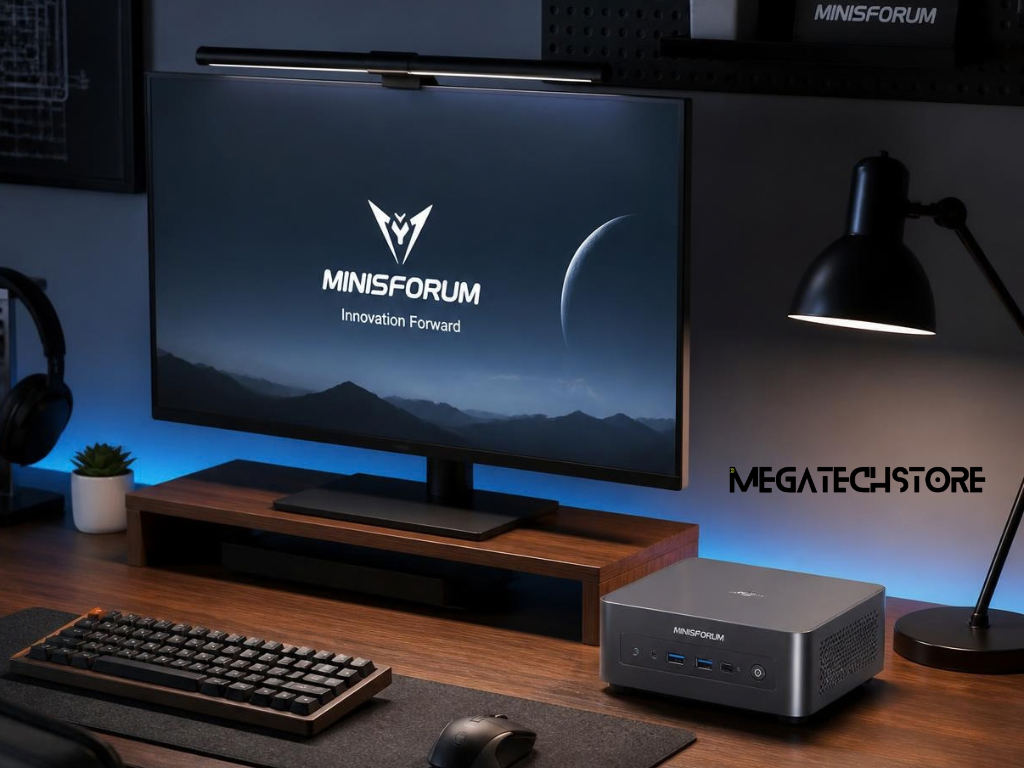
The choice between a mini pc and a desktop should begin with how the computer will actually be used.
For many home and office activities, a suitable compact system can provide the performance and connectivity required without taking up much desk space.
For users needing extensive expansion or demanding graphics performance, a conventional desktop may be the more flexible choice.
The most useful comparison is between complete configurations that meet your specific requirements.
Questions to Ask Before Buying a Mini PC
Start by identifying the applications you use regularly.
If your work mainly involves documents, email, browsing and video meetings, check the processor and memory requirements of those applications.
If you work with large creative projects or specialised business software, confirm whether the system supports the recommended hardware configuration.
Consider how many monitors you need and which ports are required.
Check whether your existing accessories are compatible.
Storage is another consideration.
A computer used for basic office documents may need less internal space than a workstation storing large media files.
Before purchasing, also confirm the operating system, included memory and storage, upgrade options and warranty conditions.
If choosing a Barebones model, establish which additional components must be purchased and installed.
These details help avoid surprises after delivery.
Finding the Right Balance of Performance and Value
For Australian customers comparing computer suppliers, clear specifications and reliable product information are important.
A retailer should be able to identify the configuration being sold and explain what is included.
This is especially useful when considering mini PCs that have multiple memory and storage options.
Mega Tech Store is a Sydney-based technology retailer offering compact computers, pre-built systems and computer components.
Customers can explore its mini PC range when comparing Minisforum and MINIX devices.
The store also lists MINIX products, including compact computers and specialised workstations.
These categories may be useful when comparing ordinary productivity systems with higher-performance alternatives.
Before ordering, customers should confirm the available configuration, product compatibility, operating system, warranty terms and current stock status.
A mini PC can be an excellent choice for a compact home office or general business workstation when its specifications match the workload.
A traditional desktop may be preferable when future hardware expansion or dedicated graphics performance is a priority.
If you are unsure which computer is appropriate, begin by listing your everyday applications, monitor requirements, storage needs and budget.
Then compare suitable products or contact Mega Tech Store to discuss available configurations before purchasing.
Choosing the right computer is not about finding the smallest case or the highest specification. It is about finding a system that performs the tasks you need, fits your workspace and offers practical value over time.